Why this update matters
To protect sensitive data against phishing and unauthorized access, RoomRaccoon has introduced a mandatory email verification step for all data exports.
This security layer is active for all customers and applies to exports containing sensitive information such as invoices, bookers, guests, paymasters, and similar data.
How email verification for exports works
When a user attempts to export data, the following steps take place:
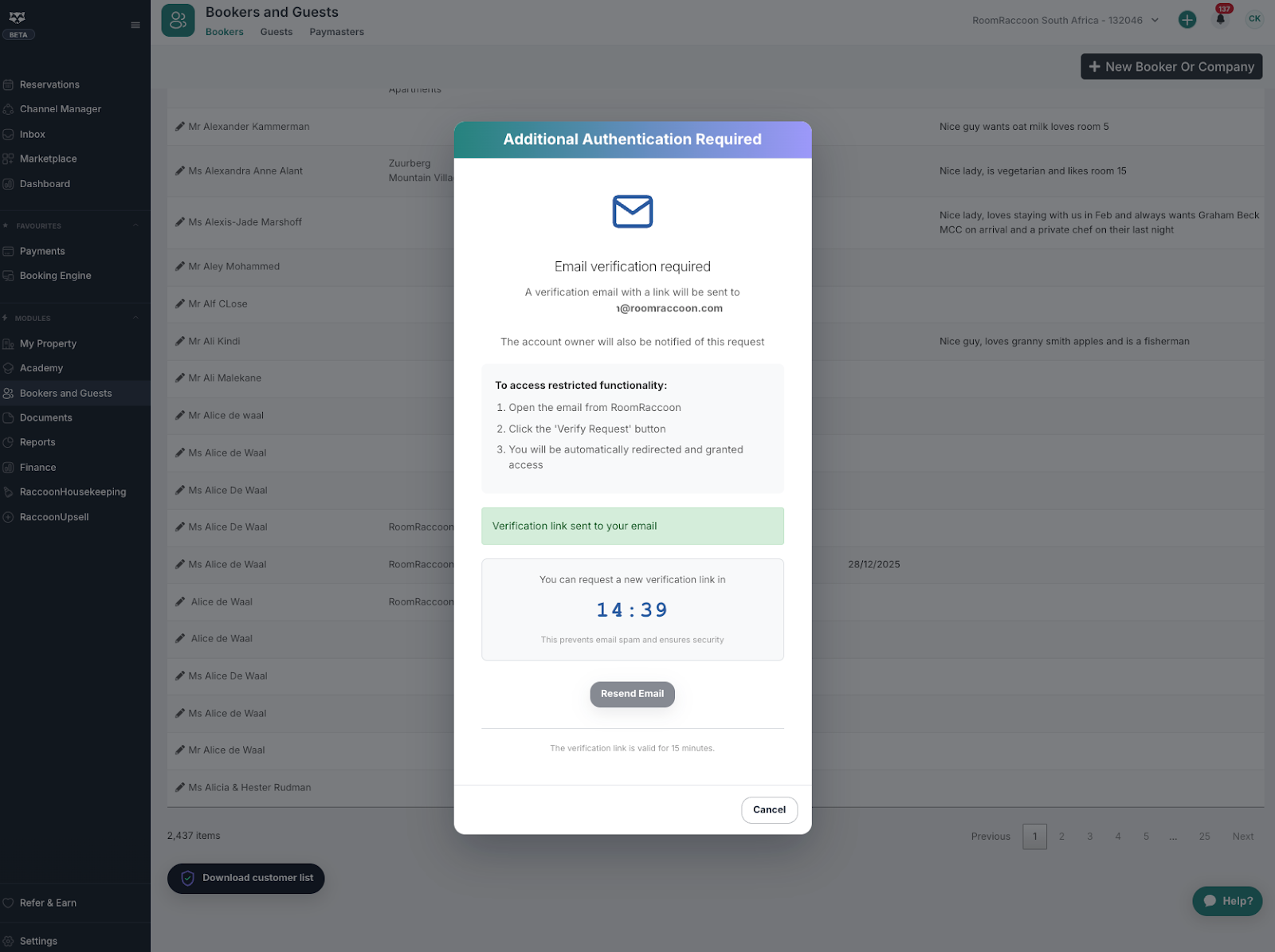
An email is sent to that user’s email address as soon as the export is requested.
The user must open the email and click the verification link.
Once the link is confirmed, the export functionality for that user is enabled.
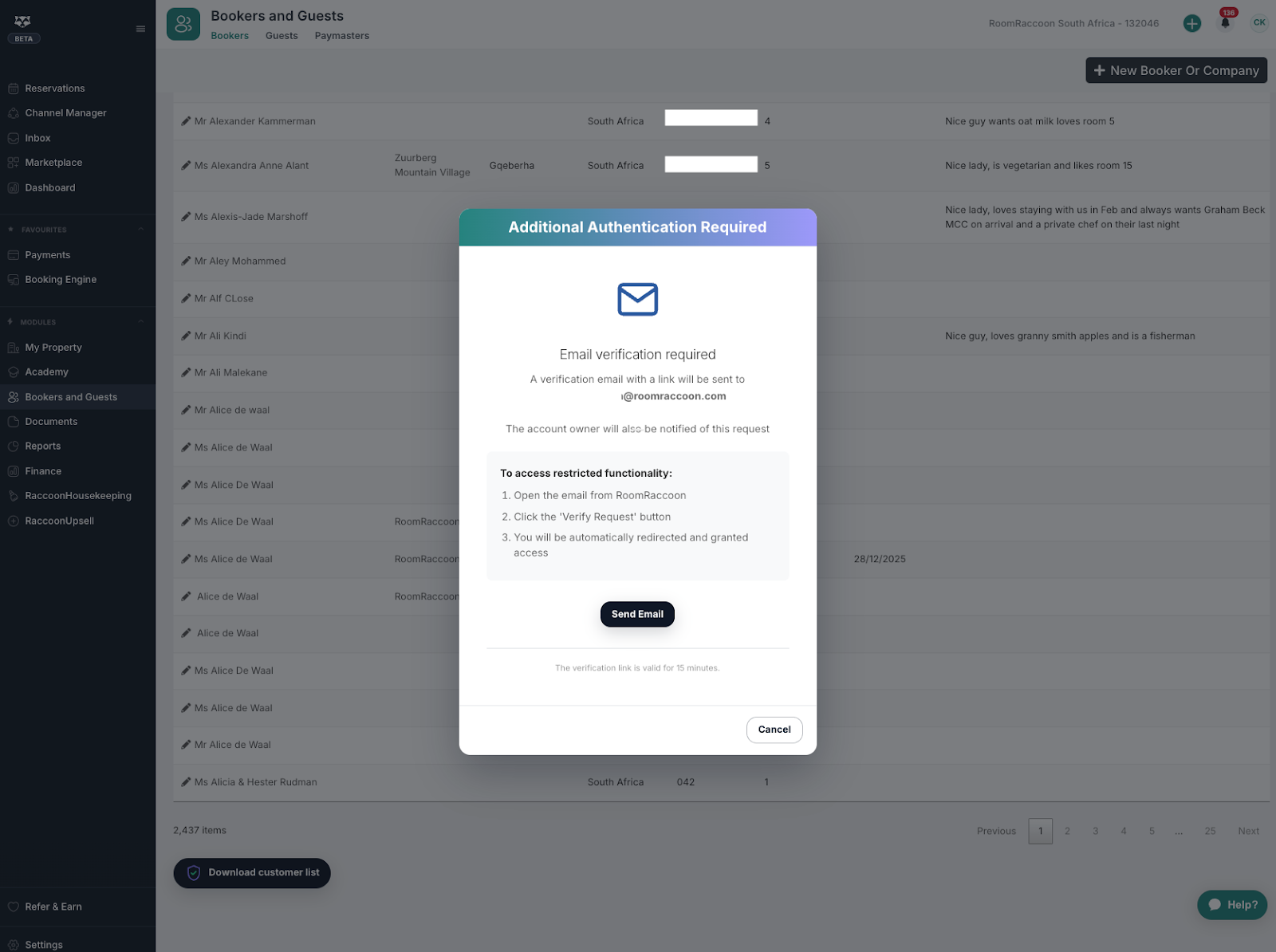
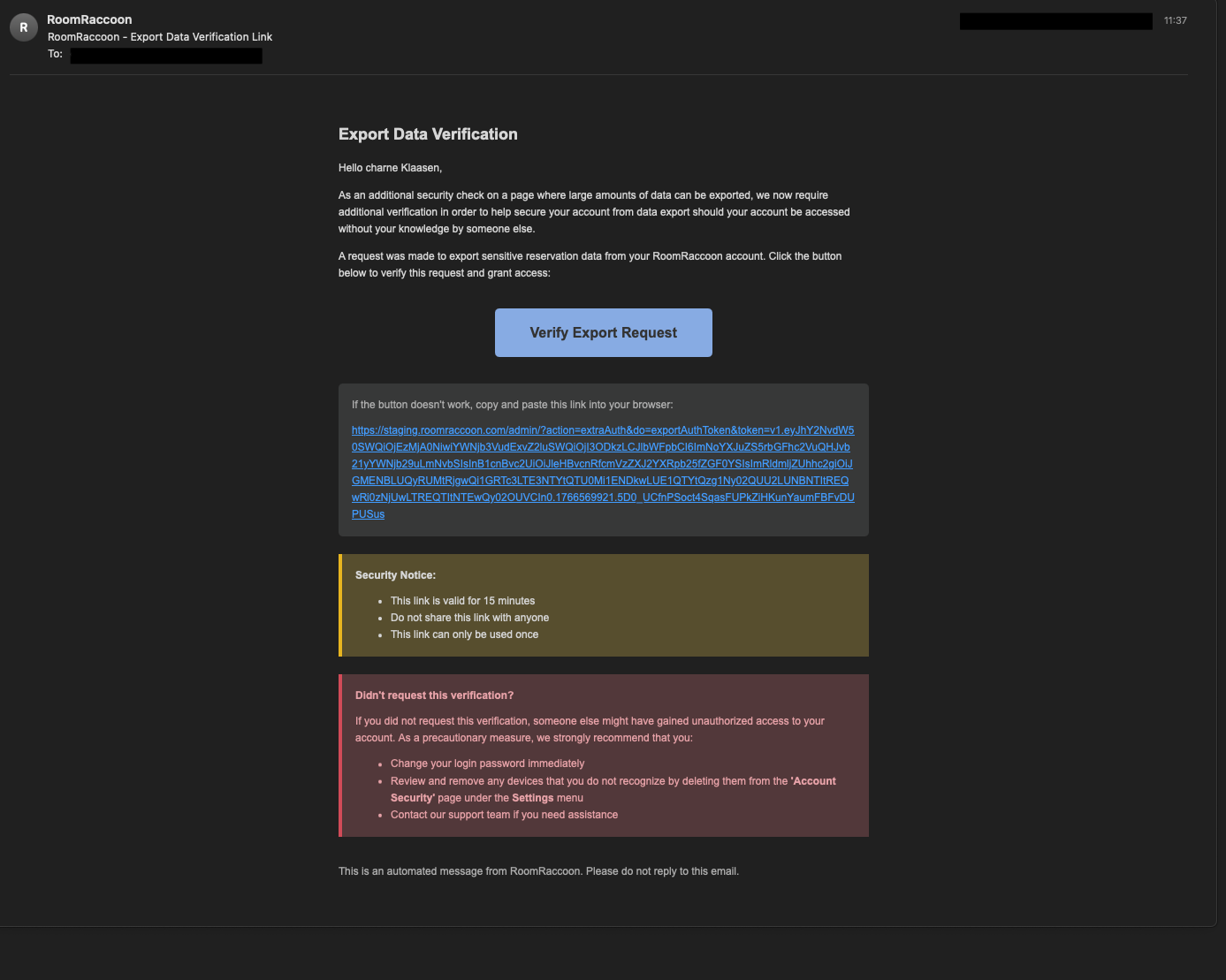

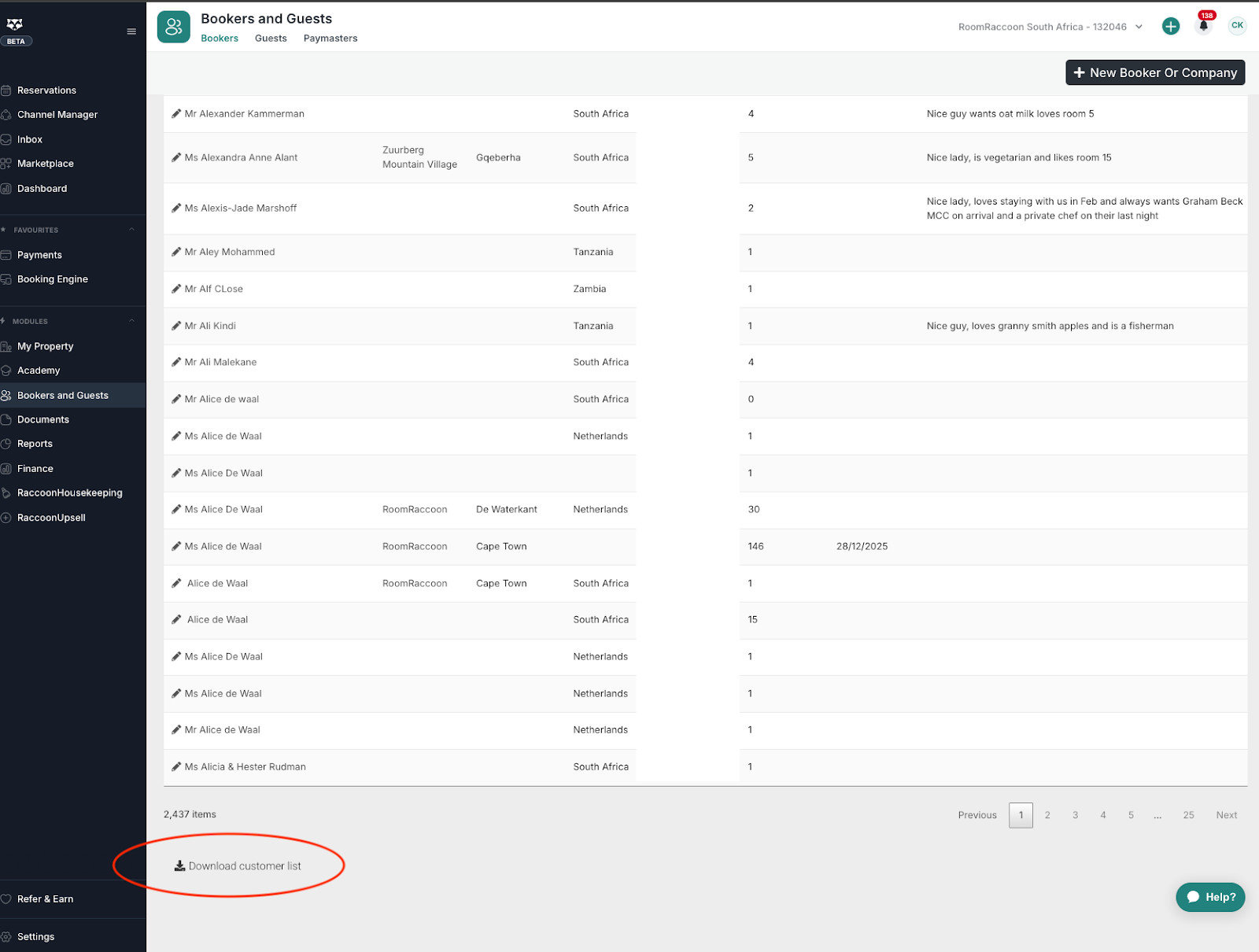
Without completing the email verification step, the export will not proceed.
Why this security step exists
Phishing attacks often focus on gaining system access to extract large volumes of data. This added verification step prevents silent data exports by ensuring:
Every export attempt triggers an email notification.
Access to the RoomRaccoon platform alone is not enough to export data.
The person requesting the export must also have access to the associated email inbox.
This reduces the risk of unauthorized data extraction and increases visibility over export activity.
What data is affected?
Email verification is required for all exports that include sensitive information, including but not limited to:
Invoices
Booker data
Guest data
Paymaster information
Other personal or financial records available via export
Who this applies to?
This feature is enabled for all RoomRaccoon customers.
It applies to all users attempting to export data.
No configuration or activation is required.
Troubleshooting and common questions
I did not receive the email
Check your spam or junk folder.
Confirm that your user profile has the correct email address.
I cannot export data
Make sure you have access to the email address linked to your user account.
The export will remain blocked until the email verification link is clicked.
Can this be disabled
No. This security measure is mandatory for all customers.
Good to know
Email verification for data exports adds an extra layer of protection for sensitive information. By requiring access to both the platform and the linked email address, RoomRaccoon reduces phishing risk and strengthens data security across all accounts.
IMPORTANT:
RoomRaccoon will only send an export verification email when a user actively requests a data export from within the platform.
You should treat any export-related email with caution if you did not initiate an export yourself.
Always verify the following before clicking the link:
The sender email address is support@roomraccoon.com.
The link URL clearly points to a RoomRaccoon domain (app.roomraccoon… ).
The email matches the timing of an export action you personally triggered.
If an email claims to be related to a data export but you did not request one:
Do not click any links.
Do not download any files.
Report the email to your internal administrator.
This verification step protects your data, but phishing awareness remains essential. RoomRaccoon will never ask you to confirm exports outside of an export action you initiated inside the platform.
Was this article helpful?
That’s Great!
Thank you for your feedback
Sorry! We couldn't be helpful
Thank you for your feedback
Feedback sent
We appreciate your effort and will try to fix the article