What is an STO Rate?
An STO rate (Sell To Operators) is a discounted rate offered to travel agents and tour operators. These rates sit below your standard public rates and are used for contracted or B2B pricing arrangements.
RoomRaccoon allows you to set up STO rates that are only visible to authorised partners and do not appear on your public Booking Engine.
How to Create an STO Rate
Follow the steps below to set up an STO rate in your account.
Go to the My Property module.
Create a new rate plan or update an existing rate plan.
Enter the STO reference in the rate name, for example:
1 Guest (STO)
Select the occupancy that applies to this rate.
Set the rate as No Prepayment.
In the Show in Booking Engine dropdown, select:
Shown only for corporate arrangements
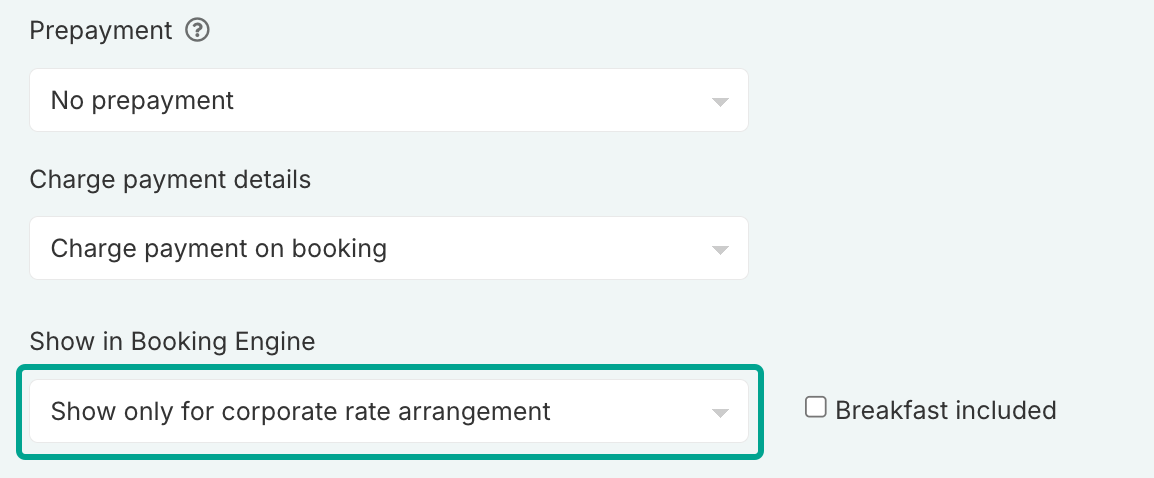
Save your changes.
Repeat these steps for other occupancies if needed.
If you work with multiple travel agents or operators, you can also create negotiated rates or travel agents in the booker profile.
Was this article helpful?
That’s Great!
Thank you for your feedback
Sorry! We couldn't be helpful
Thank you for your feedback
Feedback sent
We appreciate your effort and will try to fix the article