If you previously used a Grey Room to invoice such non-accommodation spaces, you need to convert it to a Conference Room. Follow these steps in order:
Step 1: Add Conference Room slots to your subscription
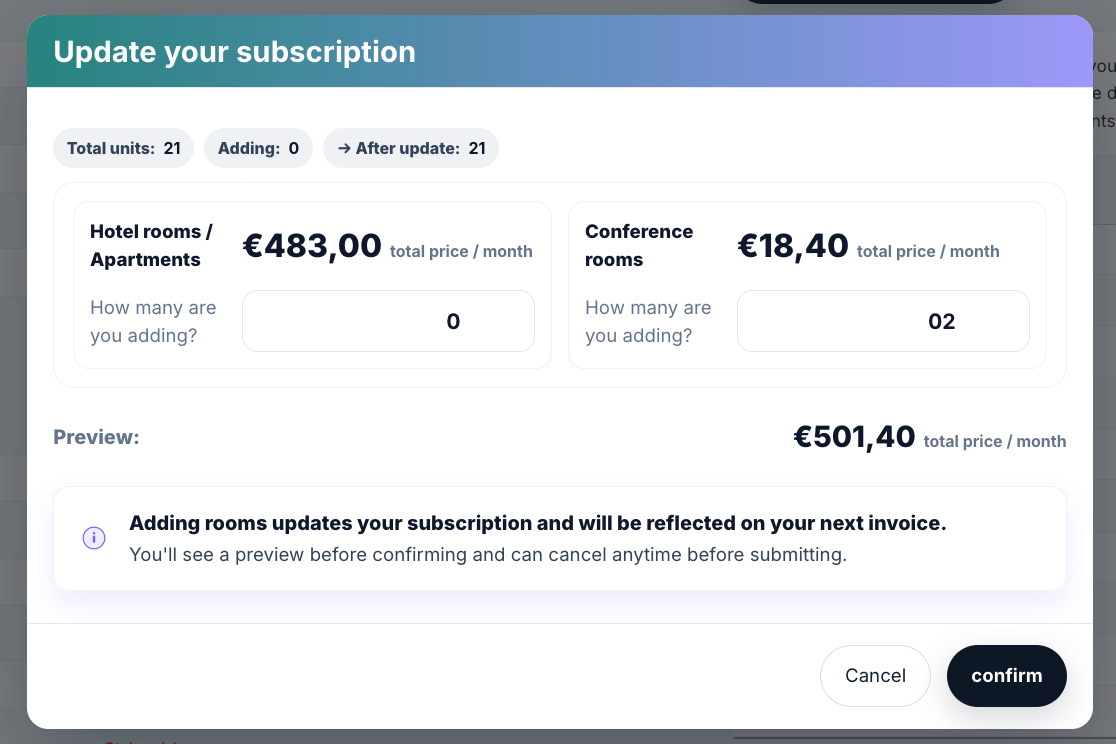
Go to Settings
Open the Subscription tab
Select Manage Subscription Plan
Increase the number of Conference Rooms
Save the update
Step 2: Update the room type
Go to My Property
Open the Rooms tab
Find the Grey Room you want to convert
Click the pencil icon to edit
Change the Unit Type → Conference Room
Save
Was this article helpful?
That’s Great!
Thank you for your feedback
Sorry! We couldn't be helpful
Thank you for your feedback
Feedback sent
We appreciate your effort and will try to fix the article