Before proceeding with the onboarding, make sure to request the connection in your RoomRaccoon Marketplace so that it is live in your account.
How to complete the onboarding
Navigate to the E-Invoicing tab in the reports module
Click on the Peppol icon, fill in all of the information and click on the ‘onboard’ button at the bottom of the screen:
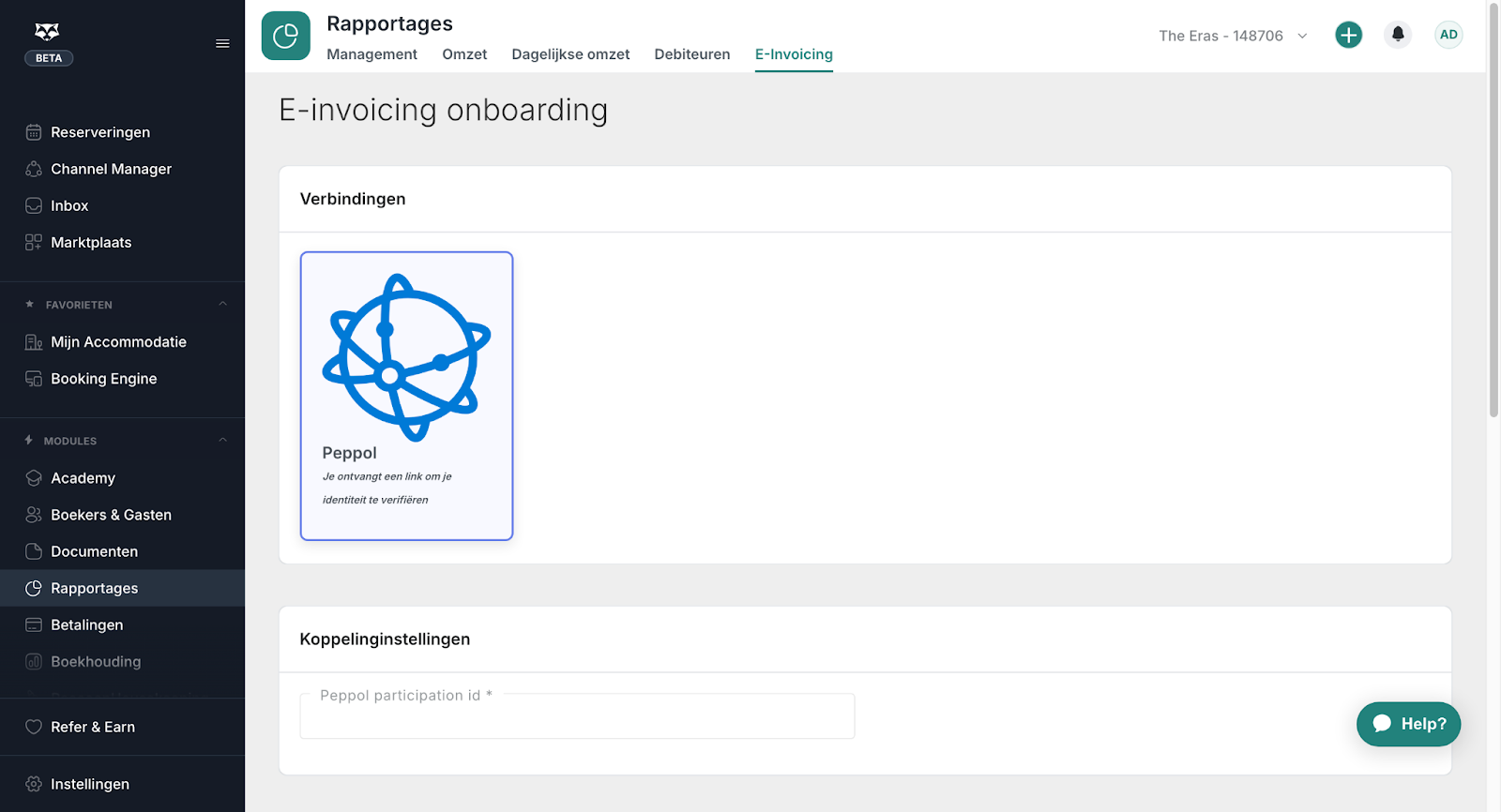
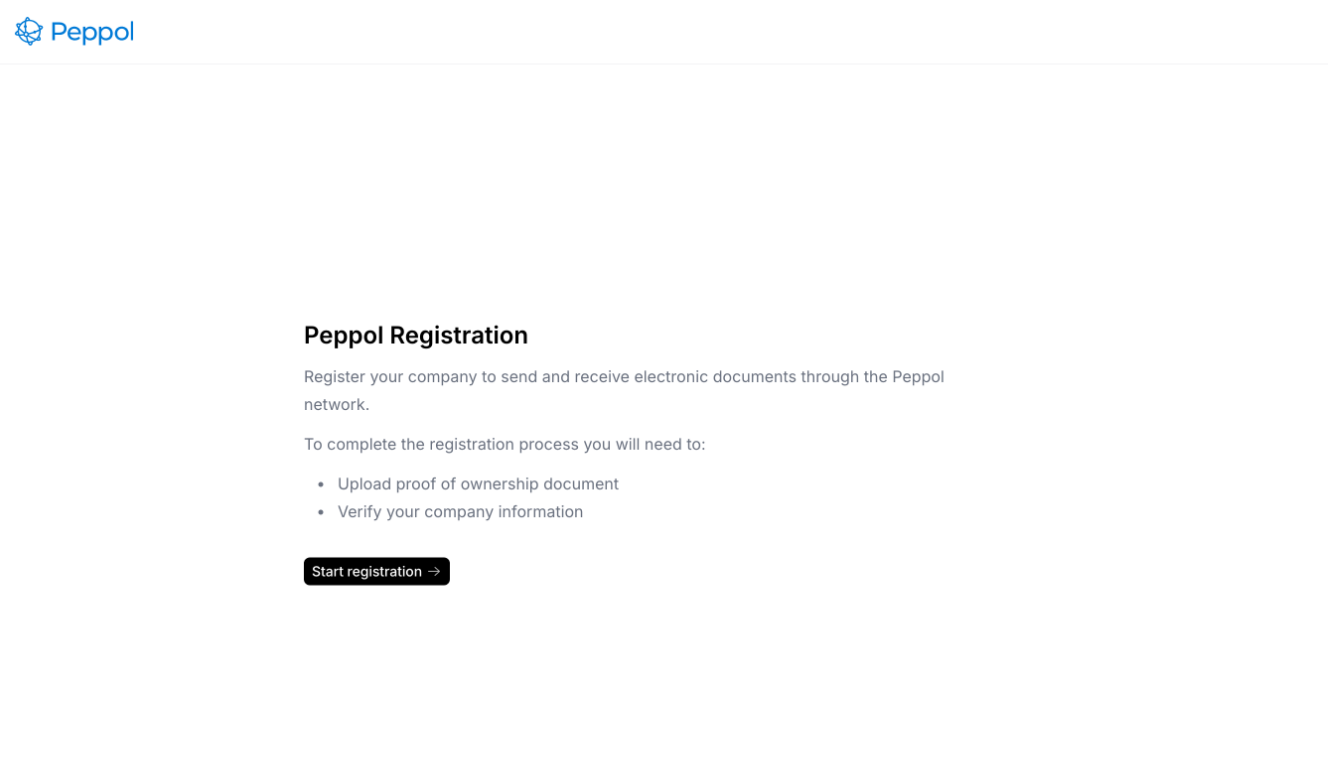
You will be redirected to Peppol to complete your registration:
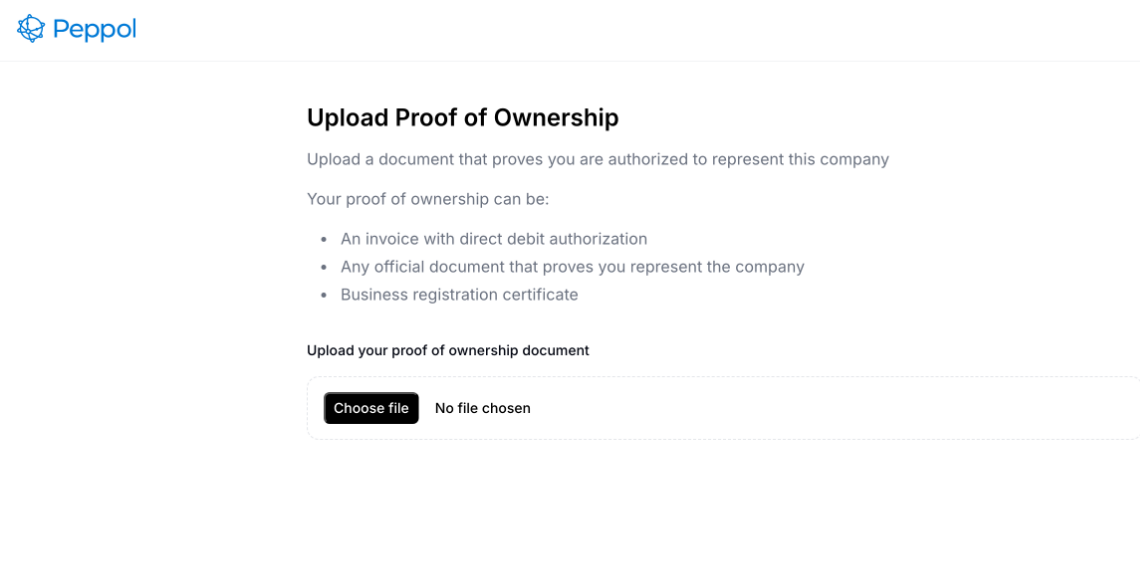
To complete the registration you will need to upload proof of ownership. Peppol provides the examples of what type of documents they accept:
Once the registration is complete, the page will reload and indicate that it’s being processed by Peppol. This may take a couple of days.

How it works
Once the registration is completed successfully you will see an overview of all invoices and credit notes with the status indicating whether they still need to be sent or if they already have been sent. If an invoice could not be sent for whatever reason the status will show as error and if you hover over it it will explain the reason for the error.
Invoices are sent to Peppol automatically every evening.
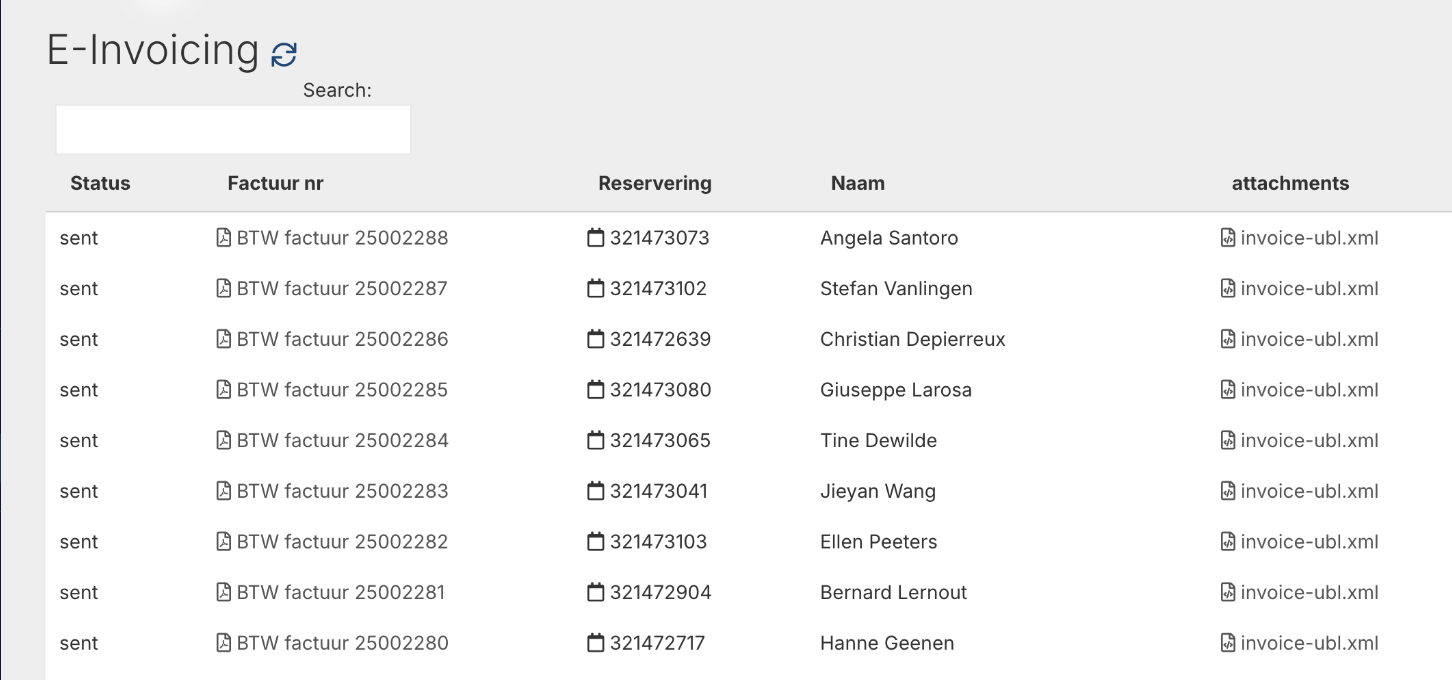
On this overview you can see the status of whether the invoice has been sent to Peppol.
Status Meanings:
Draft - Not sent yet (will be sent that evening)
Sent - Sent to Peppol successfully
Error - If you hover over the word 'error' an explanation is shown of what the error is so that the customer can rectify the mistake. Once the mistake has been rectified the customer can immediately attempt to resent the invoice by clicking on the paperplane icon on the far left side of the screen. This icon will only show for items that have not been sent to Peppol yet:

What you need to do
Peppol is mandatory for all B2B invoices. This means that if you create an invoice or a credit note for a company, it needs to be compliant with Peppol to avoid fines.
For each invoice or credit note created for a company, you will need to add the Peppol ID of that company to the booker or the guest details before creating the invoice/credit note.
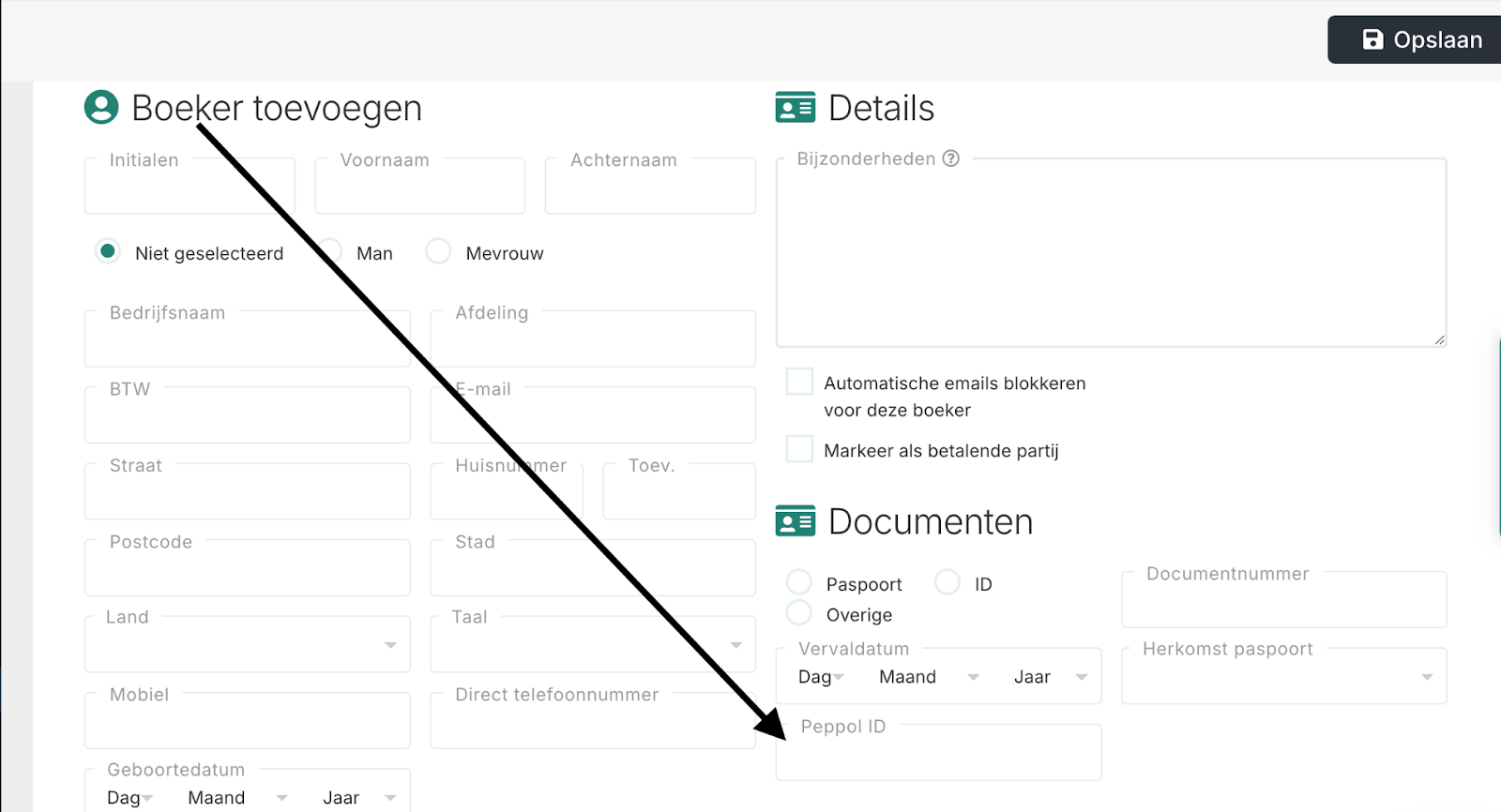
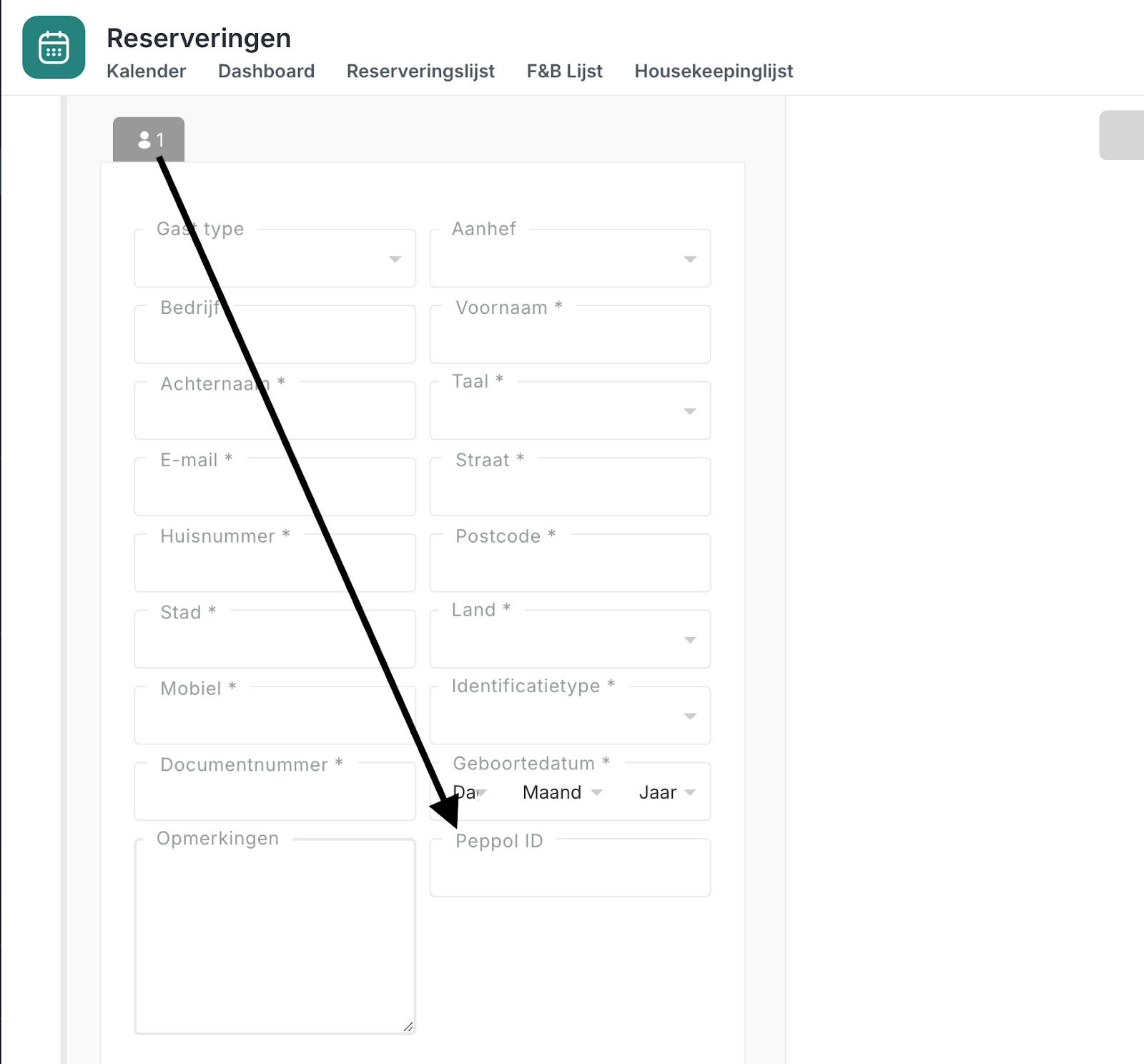
Note the Peppol will only accept B2B invoices that have the Peppol ID. Nothing additional needs to be done for B2G invoices (guests travelling for leisure) and the Peppol ID is not needed for those invoices.
Good to know
The integration with Peppol counts as one upgrade slot.
A Peppol Participant ID is a unique identifier used to send and receive documents over the Peppol network. It’s typically based on your VAT or business registration number, with a prefix (scheme) specified by your country, such as 0088:your-number.
Most organisations can provide this ID, or can be found in the Peppol Directory: https://directory.peppol.eu/public
If unavailable, we will attempt to calculate it from the VAT number and country during the registration step.
Was this article helpful?
That’s Great!
Thank you for your feedback
Sorry! We couldn't be helpful
Thank you for your feedback
Feedback sent
We appreciate your effort and will try to fix the article