Important to note: this is only available to users within our Premium and Pro packages.
Why use Year-on-Year Reports?
Year-on-Year Reports give you a clear view of your hotel’s performance by comparing each year with the previous one — helping you compare annual revenue and operational trends. These insights are perfect for tracking your growth, identifying strengths or weaknesses, and making data-driven decisions.
How to set up the report
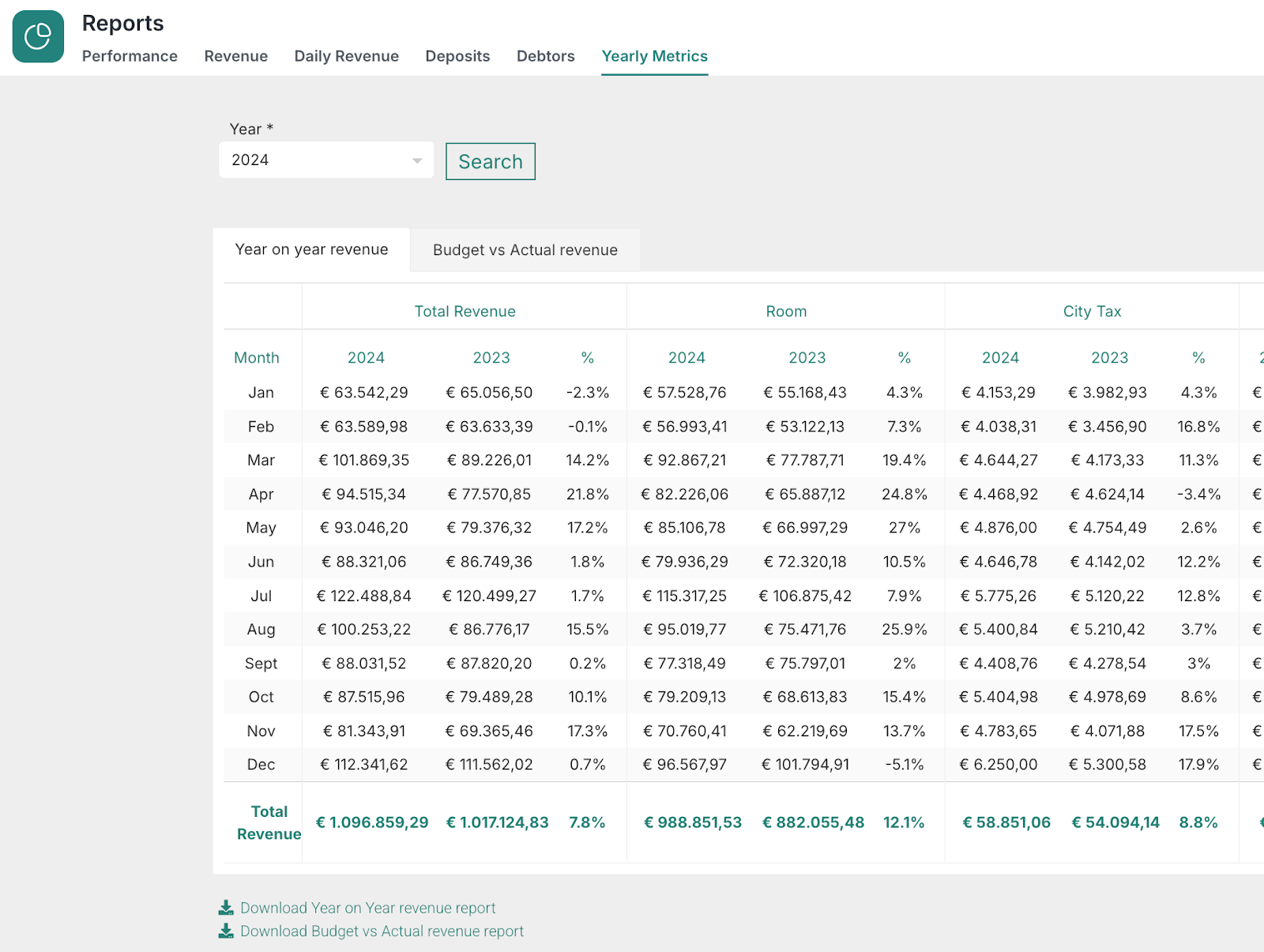
Log in to RoomRaccoon and go to the Reports section.
Open up the Yearly Metrics tab and select the Year-on-Year report type.
Choose the year you wish to compare (for example: 2024 vs. 2023) and click Search.
Scroll through the revenue groups you wish to compare:
Total Revenue
Room
City Tax
Banqueting
Minibar
Restaurant
Other
Conference room
If needed, use the download/export button to save the report (e.g., as Excel or CSV) for further analysis or sharing.
Was this article helpful?
That’s Great!
Thank you for your feedback
Sorry! We couldn't be helpful
Thank you for your feedback
Feedback sent
We appreciate your effort and will try to fix the article