Coming to your HMS: 31 March 2026
PMS Updates
RaccoonReport Routine
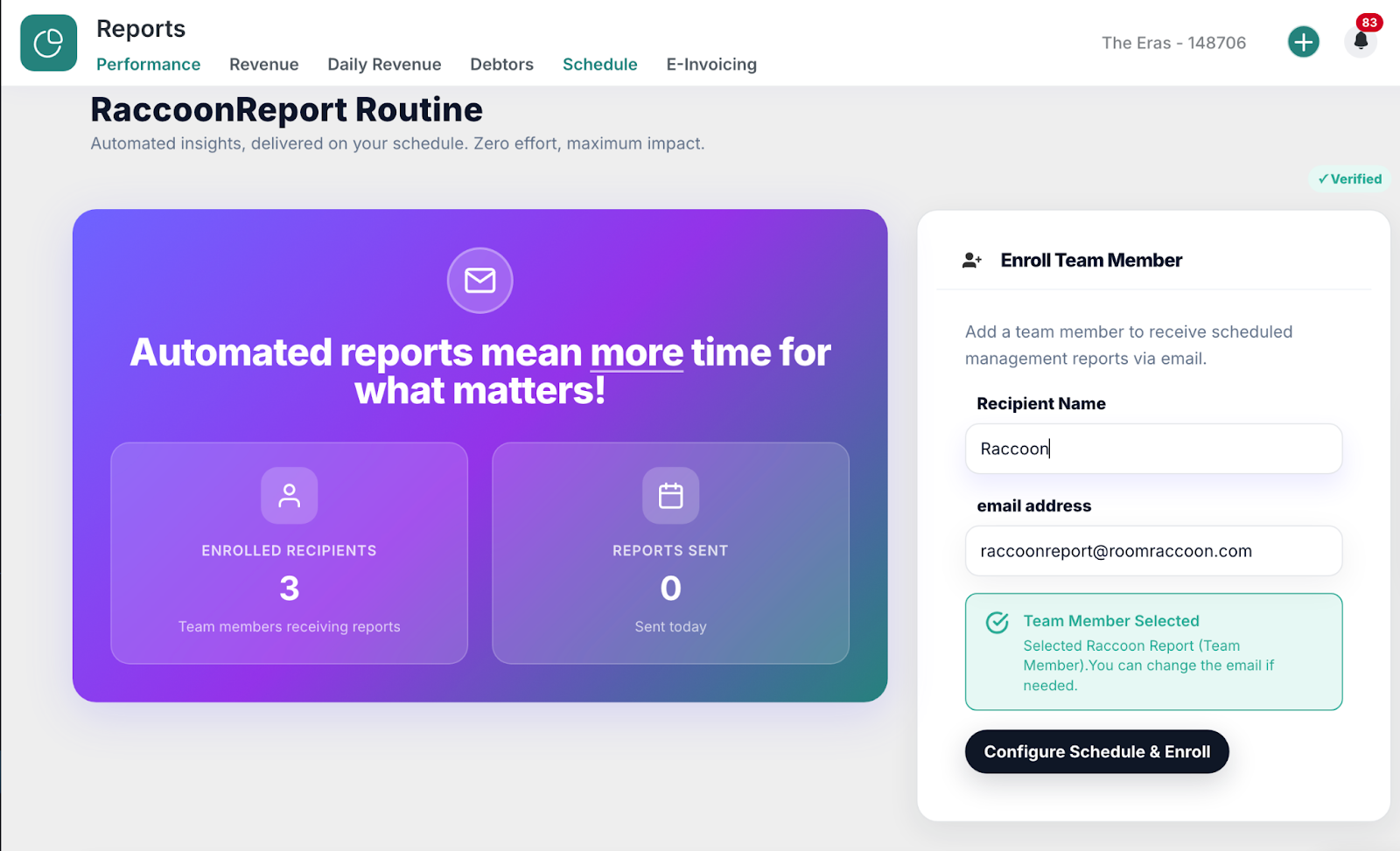
This powerful new addition allows hoteliers to schedule automated management reports via email, making it easier than ever to stay on top of performance with three essential management reports delivered exactly when they need them.
What’s new?
Scheduled Email Reports – Flexible scheduling with customisable timing.
Smart User Enrollment – Integrated smart login detection + auto-fill for seamless setup.
External Recipient Enrollment – Hoteliers can now enroll users outside of your RoomRaccoon environment (think accountants, management companies, stakeholders, etc.).
Flexible Report Configuration – Choose the timing and the information included in each report.
Discover how to set up RaccoonReport Routines here.
RaccoonSite now integrated into the PMS
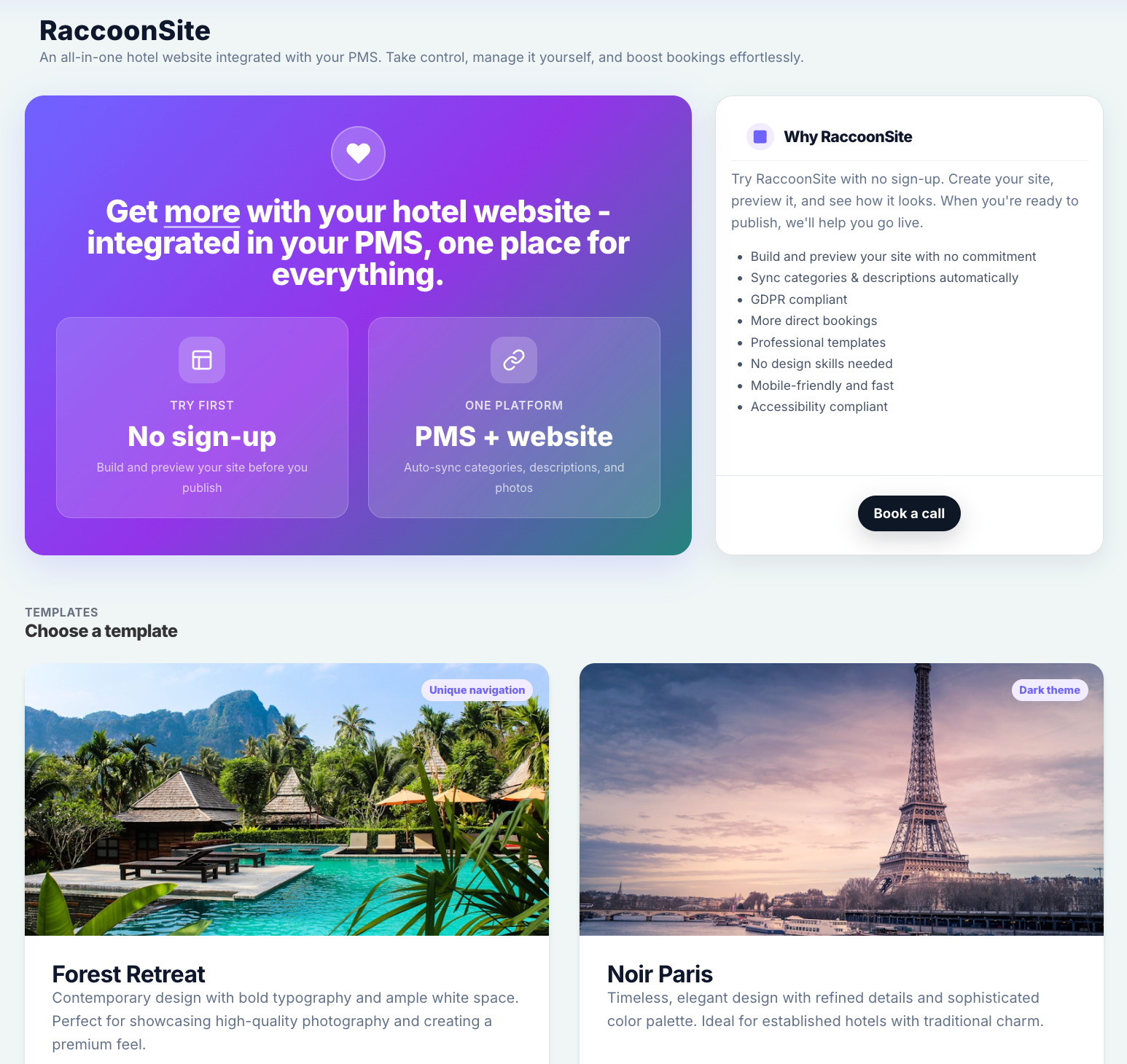
We’ve taken RaccoonSite to the next level—our self-service website builder is now fully integrated into the RoomRaccoon PMS, giving you a faster, smoother way to manage your entire online presence from one place.
You can now create, manage, and update your website without switching between platforms, giving you full control over your online presence from one central place.
What’s new:
Fully integrated website builder within the PMS
Easier management of your website and booking experience
No need to switch between external tools
RaccoonSite Packages:
RaccoonSite – Includes the self-service website builder (1 upgrade slot)
RaccoonSite Plus – Includes additional services such as build support, email hosting, and domain registration (2 upgrade slots)
What this means for you:
Using a legacy version of RaccoonSite? We will be in touch shortly with instructions for migration.
Interested in trying it out? Navigate to your Website Module and open the RaccoonSite tab.
Everything you need to build and manage your website—now fully integrated into RoomRaccoon.
Booking Engine Module becomes Website
We’ve brought your online presence together in one place. The Booking Engine module has been renamed to Website, following the integration of our Website Builder directly into the PMS.
This update centralises everything related to your branding, website, and booking experience—making it easier to manage from a single location.
What’s changed:
Settings – Branding & logo settings for your Booking Engine and Website (if you have RaccoonSite upgrade)
Booking Engine – Configure your booking engine setup
RaccoonSite – Access your Website Builder (available if included in your package)
Manage your online presence from one place.
Your Subscription Plan, Fully in Control
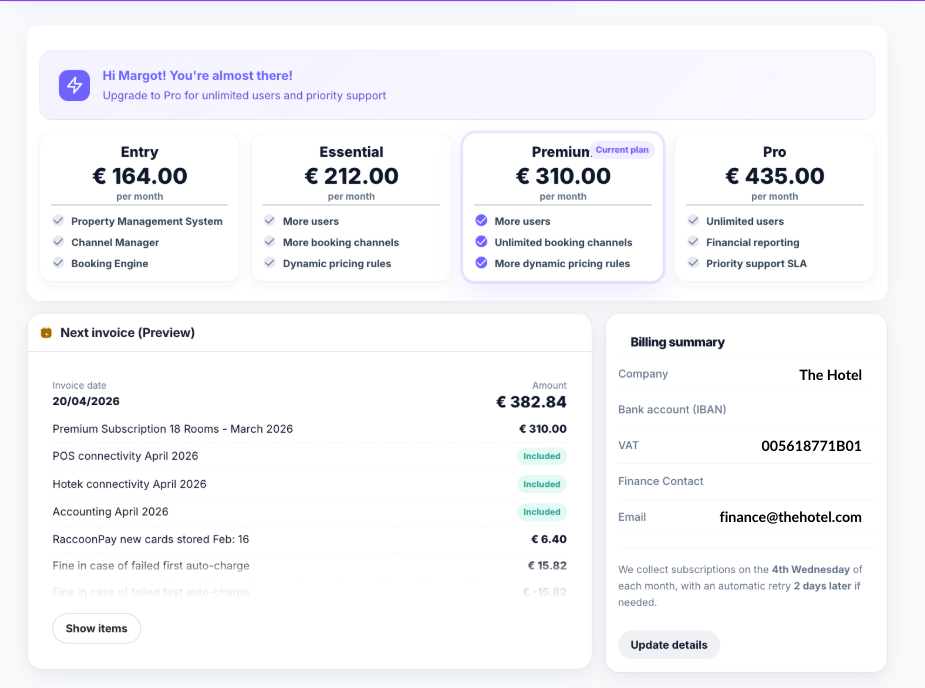
The new Subscription Plan page in RoomRaccoon gives you full visibility and control over your plan, billing, and payments—all in one central place.
From here, you can:
View your current subscription plan
Upgrade or change plans
Manage payment methods
Review billing details
Preview your next invoice
Access past invoices
Take control of your subscription with ease and transparency.
Manage your subscription here.
The Login History
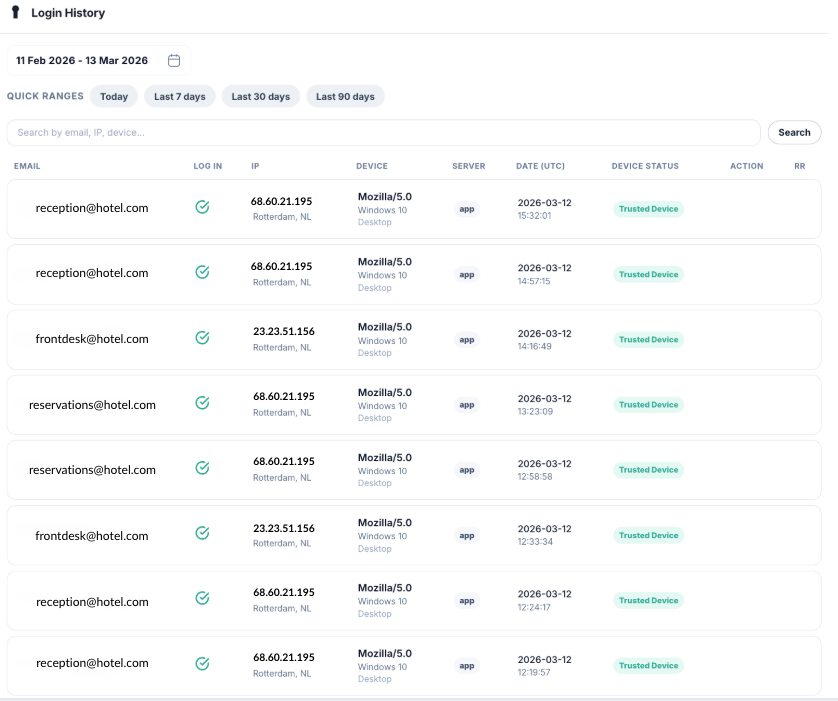
The Login History helps you monitor access to your RoomRaccoon account. It provides a detailed overview of all login attempts so you can quickly identify login issues or detect unusual activity.
You can use this log to see who logged in, when they logged in, and from which device or location.
You can find the Login History in the Account Security tab under Settings.
Payments
Now available: Custom Payment Method
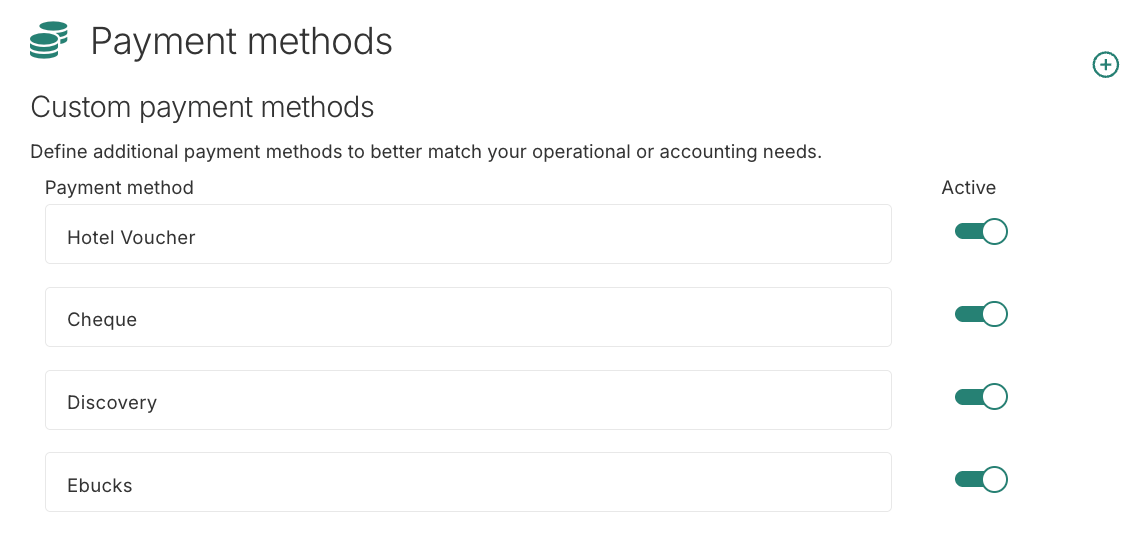
For all the miscellaneous payment methods that don’t fit into standard payment types, you can now use the new Custom Payment Method. This gives you more flexibility in registering and managing unique or property-specific payment flows.
Google Pay is Here
Great news—Google Pay is now available as a payment method in your Booking Engine for all customers using RaccoonPay.
Guests can now complete their bookings without manually entering card details, making the checkout experience faster, smoother, and less error-prone—especially for last-minute or on-the-go reservations.
How to activate:
Open your Payments module
Go to the Onboarding tab
Scroll down to Payment Methods
Enable Google Pay
Click Submit
That’s it—you’re ready to start offering a faster, more convenient way to pay.
Now available in Marketplace
Full Revenue Push to Twinfield Accounting
We now enable full revenue push to Twinfield Accounting from your POS (Please note: this feature is currently only available to customers using Lightspeed).
All revenue generated through your POS—including bar and restaurant transactions from both hotel and non-hotel guests—is automatically imported into RoomRaccoon and seamlessly pushed to Twinfield.
This works whether you operate on cash-based or invoice-based journals.
Why it matters:
Smooth, automated revenue reporting
Reduced manual reconciliation
Fewer accounting errors
Significant time savings
Unlock More Doors with TTLock
The integration with TTLock enables seamless, automated guest access via self-expiring smart key codes.
Whether you operate a receptionless property or simply want to reduce physical key handling, this integration ensures a smooth, secure, and contactless check-in experience.
Allow access to Common Areas
You can now grant access to areas such as parking, spa facilities, or other amenities by linking key codes directly to your Add-ons.
This gives you more flexibility in managing guest access beyond just rooms.
Powered by our integrations with:
RemoteLock
Salto KS
Nuki
TTLock
Tax Exemption for OTAs
Please note: This is exclusive to users using the North American Tax System
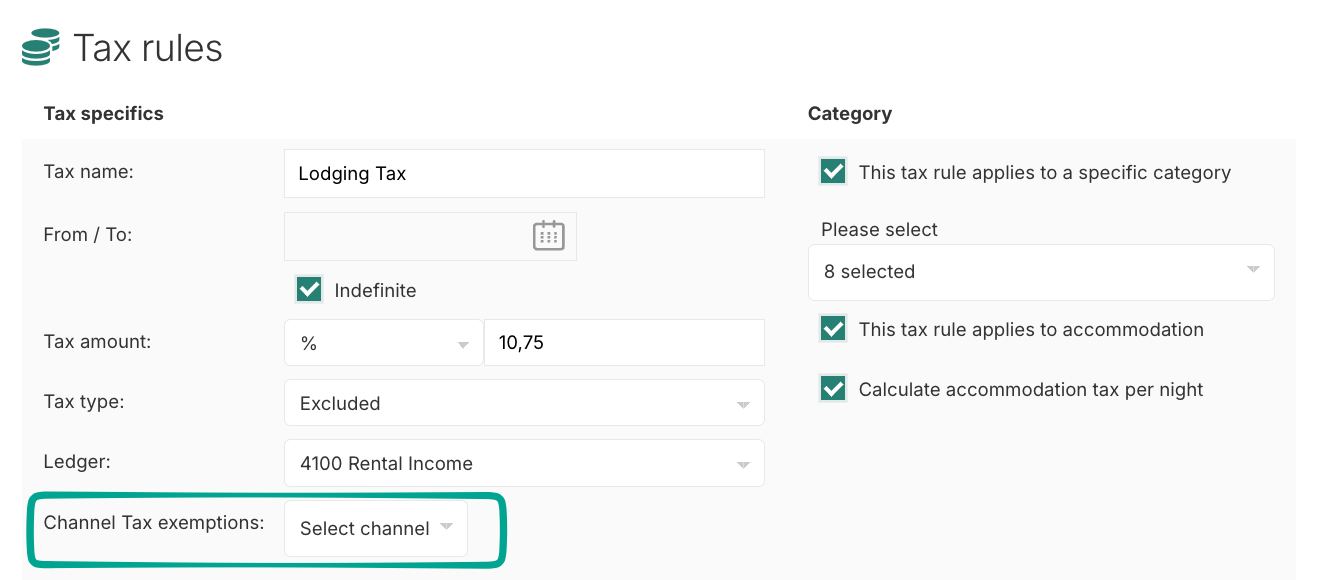
Managing OTA taxes is now more flexible.
You can choose to include or exclude taxes depending on the OTA, giving you better control over how tax configurations are handled across different distribution channels.
Here’s how it works:
Navigate to your Account Settings > scroll down to the Tax Rules section.
You will now find a new dropdown ‘channel tax exemptions’
Select which channels (OTA’s) you wish to exempt from the tax rule (the tax is not applicable for that channel)
Was this article helpful?
That’s Great!
Thank you for your feedback
Sorry! We couldn't be helpful
Thank you for your feedback
Feedback sent
We appreciate your effort and will try to fix the article