What is needed to charge a VCC via RoomRaccoon?
Your booking channels (for example Booking.com, Expedia, etc.) must send the VCC details within the reservation information to RoomRaccoon.
If VCC details are not appearing in reservations, please contact your booking channel directly and request that VCC information is included in their connection settings.
How are the VCCs charged in RoomRaccoon?
VCCs are automatically charged with RaccoonPay on the VCC activation date from 01:00 UTC.
The successful charge will appear as a payment in the reservation.
If the VCC enters the system later on its activation date (for example at 15:00), the system will not attempt to auto-charge it again, and you will need to charge it manually.
What is the VCC activation date?
Each booking channel sets its own activation rules.
General activation rules:
Agoda: Day of departure
Expedia: Day of departure
Booking.com: Depends on cancellation policy
Non-refundable reservations: On the day the reservation is made
Partially refundable reservations: When the booking becomes 90% non-refundable
All other reservations: On the check-in date
If you are unsure about the activation date, please contact the booking channel directly.
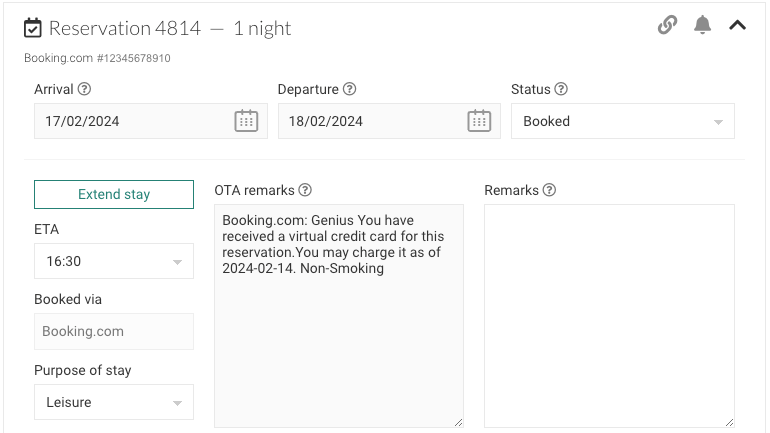
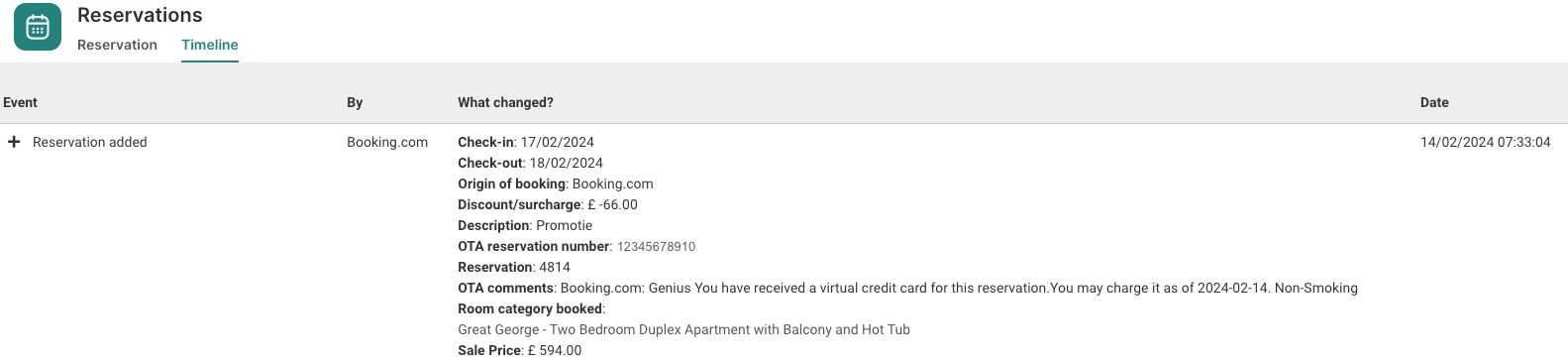
How can I know when the activation date is in RoomRaccoon?
You can check in the:
Reservation OTA Remarks
Reservation timeline
Where can I manage VCC charges?
You have the dedicated Virtual credit Cards tab in the Payments module.
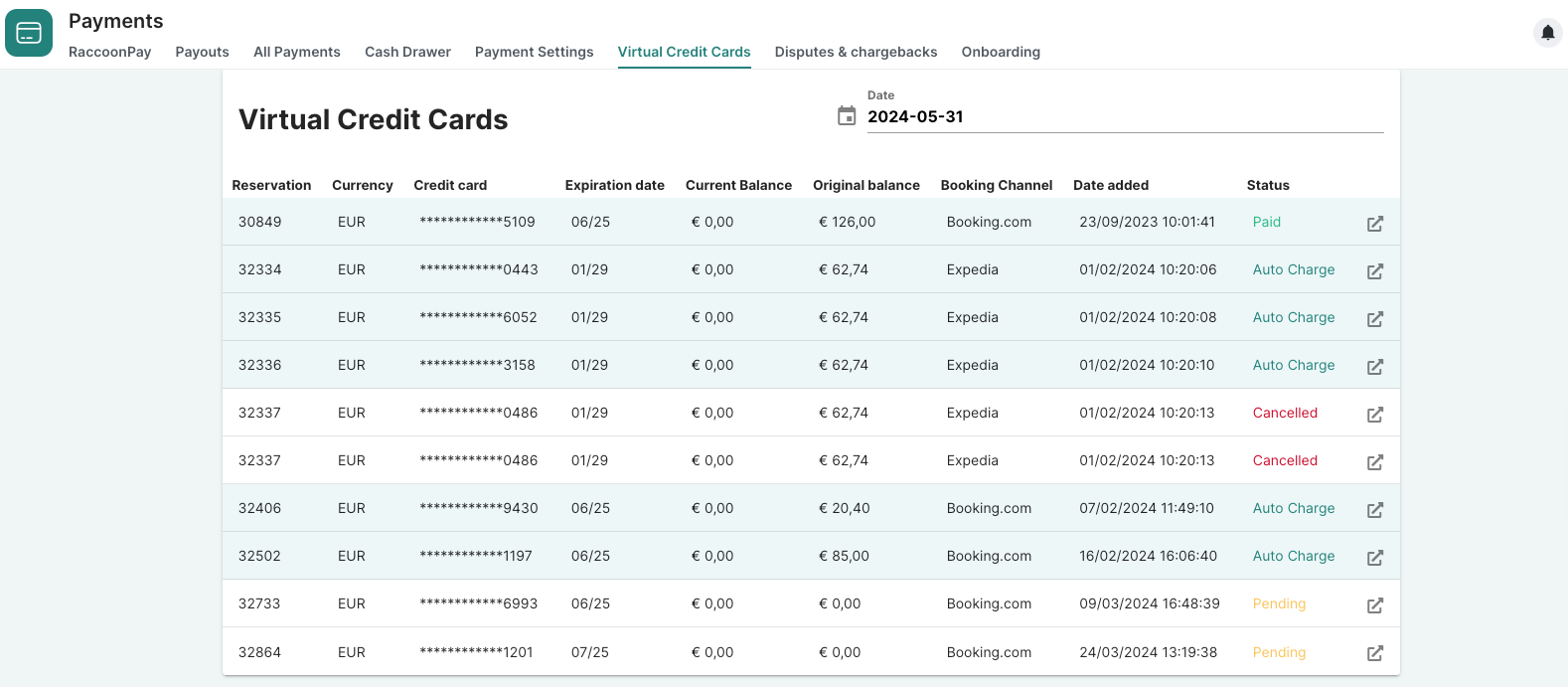
By filtering by date, you will see which VCCs are being activated on the selected date, and:
To which reservation it belongs to
Currency
VCC last digits
Expiration date
If there is any amount pending to be charged
VCC original balance
Booking channel
Date added to the system
What do the statuses mean?
Pending
Virtual Credit Card charge is pending to be confirmed. If it takes more than 24 hours, it may mean it has not been successful.
Paid
Virtual Credit Card has been successfully charged manually.
Auto Charge
Virtual Credit Card has been successfully charged automatically by RaccoonPay on its activation date.
Cancelled
Virtual Credit Card has been cancelled, or its tokenization has failed, making automatic charging impossible.
Why was my cancelled reservation not auto-charged?
If a reservation is marked as Cancelled, the system will not automatically charge the VCC — even if the rate is non-refundable. This is expected behaviour.
RoomRaccoon does not automatically charge VCCs for cancelled reservations because it is up to you to decide how to manage cancellation cases. This gives you flexibility to:
Charge the VCC according to your cancellation policy
Waive the charge
Handle the situation directly with the guest
If you decide to charge the VCC:
You can manually charge it from its activation date
The card must already be active and chargeable according to the channel rules
When is a VCC NOT auto-charged?
A VCC will not be auto-charged if:
The reservation status is Cancelled
The VCC details are received after 01:00 UTC on the activation date
The card was cancelled by the channel
Tokenization failed
The activation date has not yet been reached
In these cases, you can manually charge the VCC once it becomes active (if still valid).
Was this article helpful?
That’s Great!
Thank you for your feedback
Sorry! We couldn't be helpful
Thank you for your feedback
Feedback sent
We appreciate your effort and will try to fix the article